To Create your Cross Platform Pool Blitz account, follow the following steps:
1. Tab across to the Settings Menu (highlighted in yellow below)
2. Select the Options button

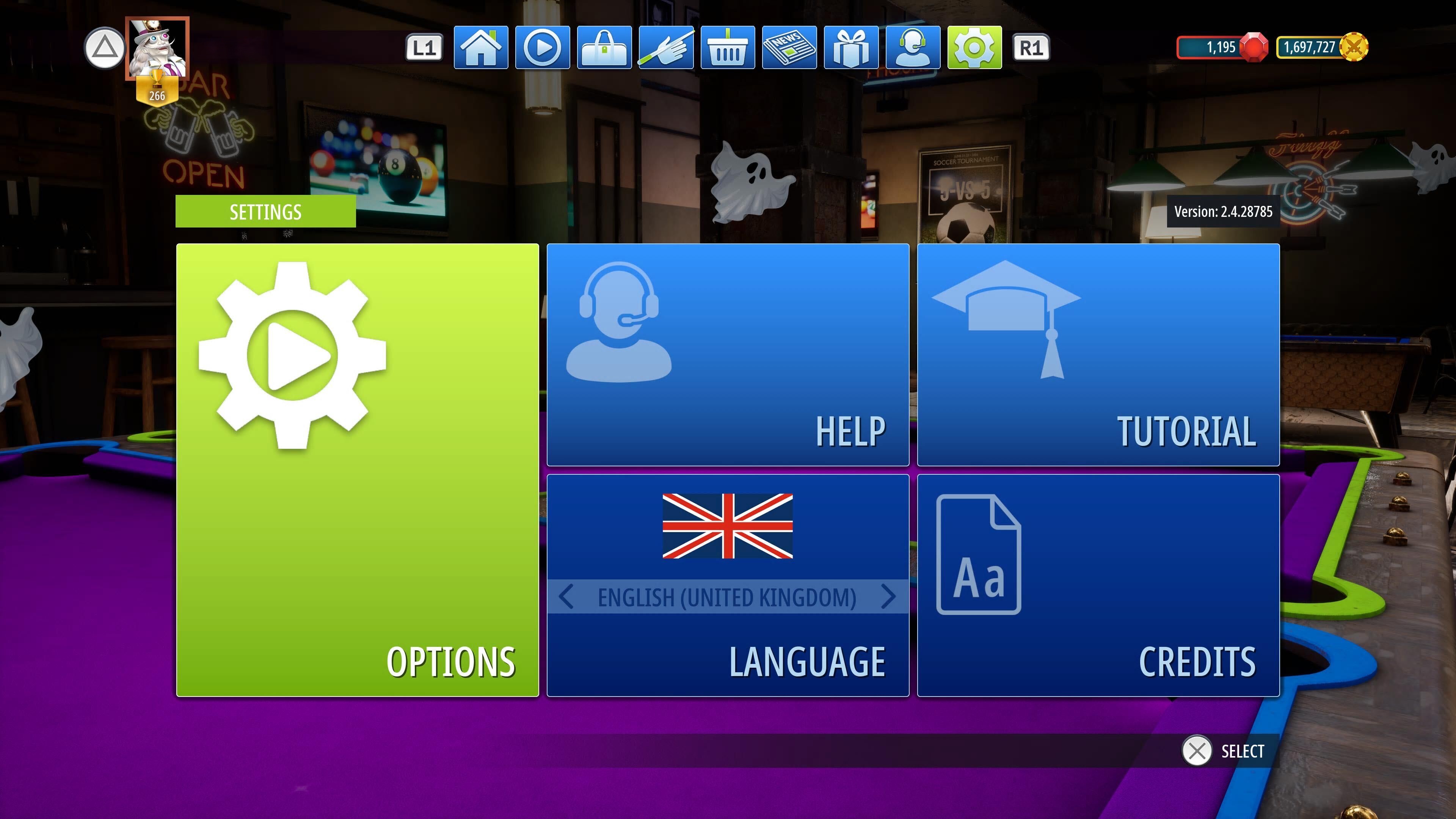
3. Select the Online Settings button, then scroll to the right and select the Account link button.
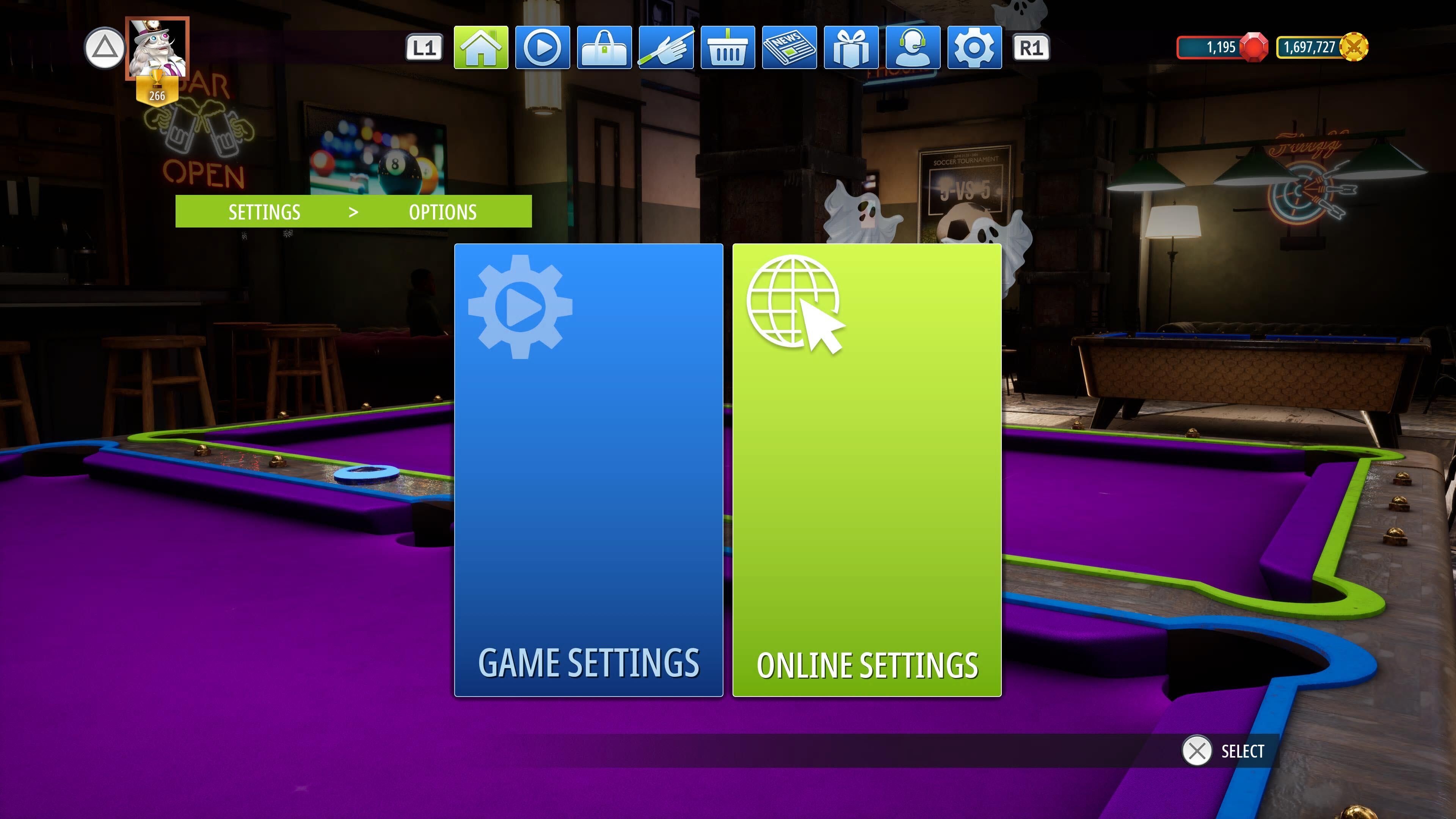
4. Select the Online Settings button, then scroll to the right and select the Account link button.
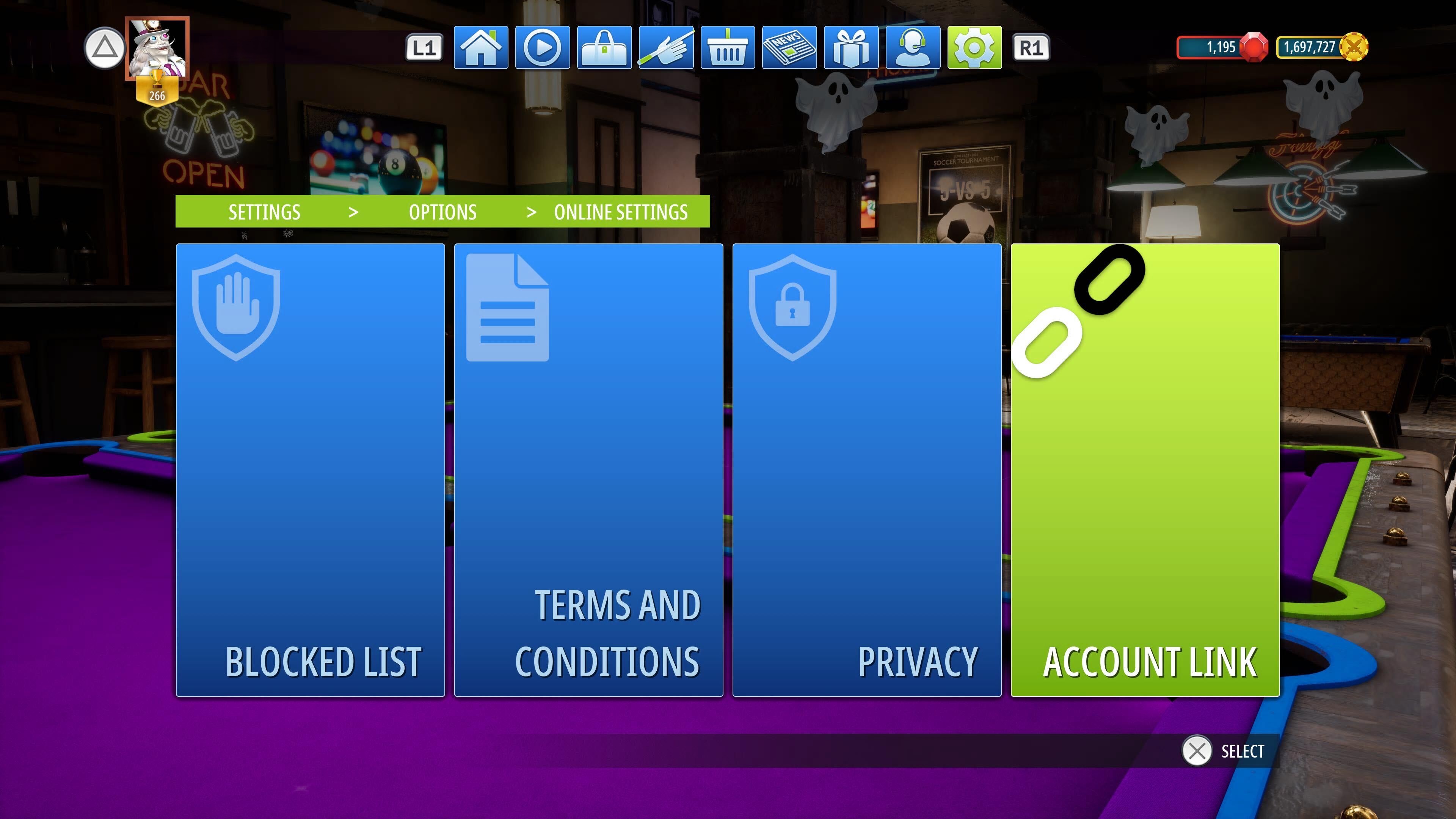
This will open the Account link screen as shown below.
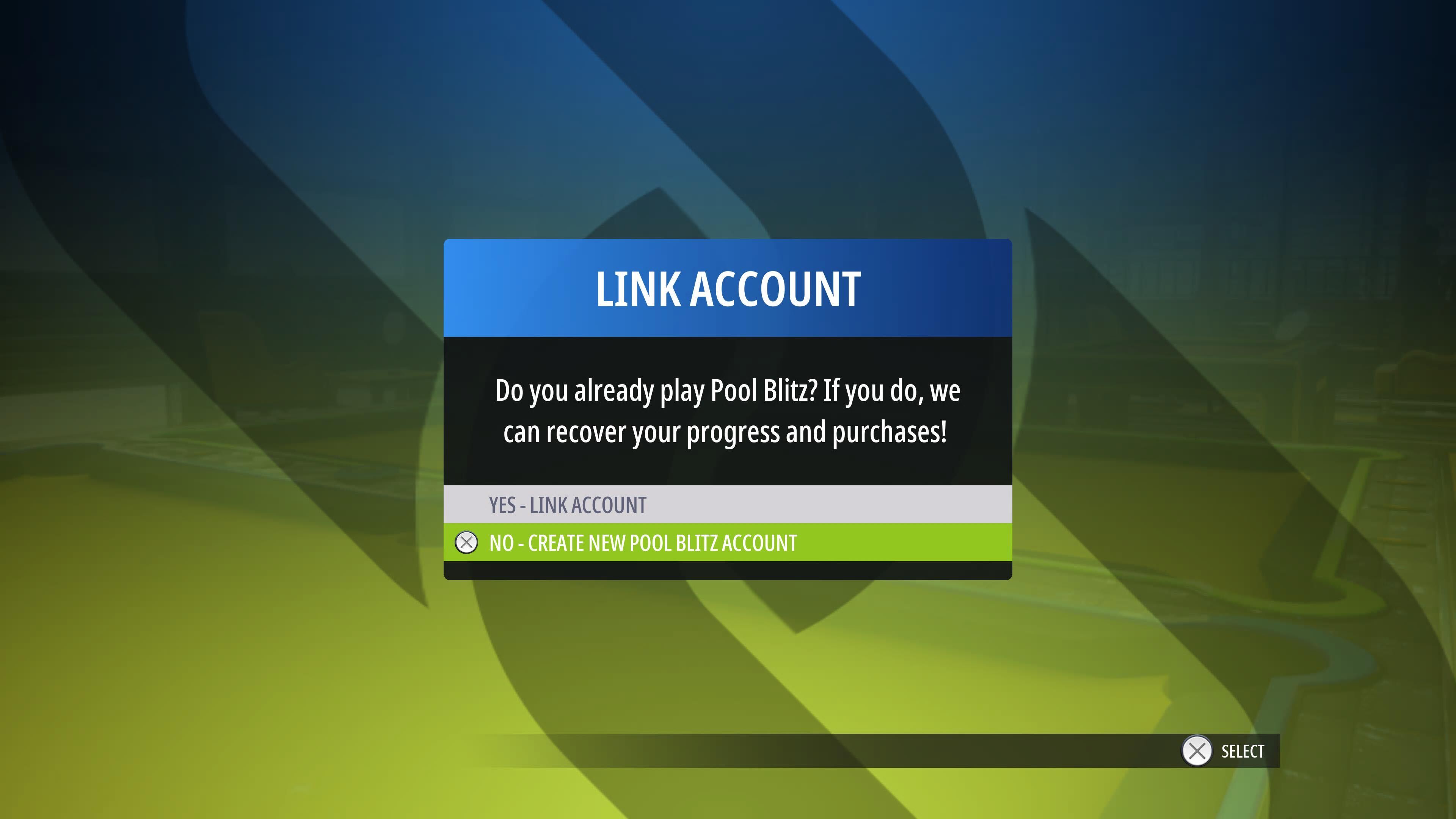
5. To Create your Pool Blitz account and link the account to other devices, you need to select the No - Create New Pool Blitz account option. which will open this screen below:
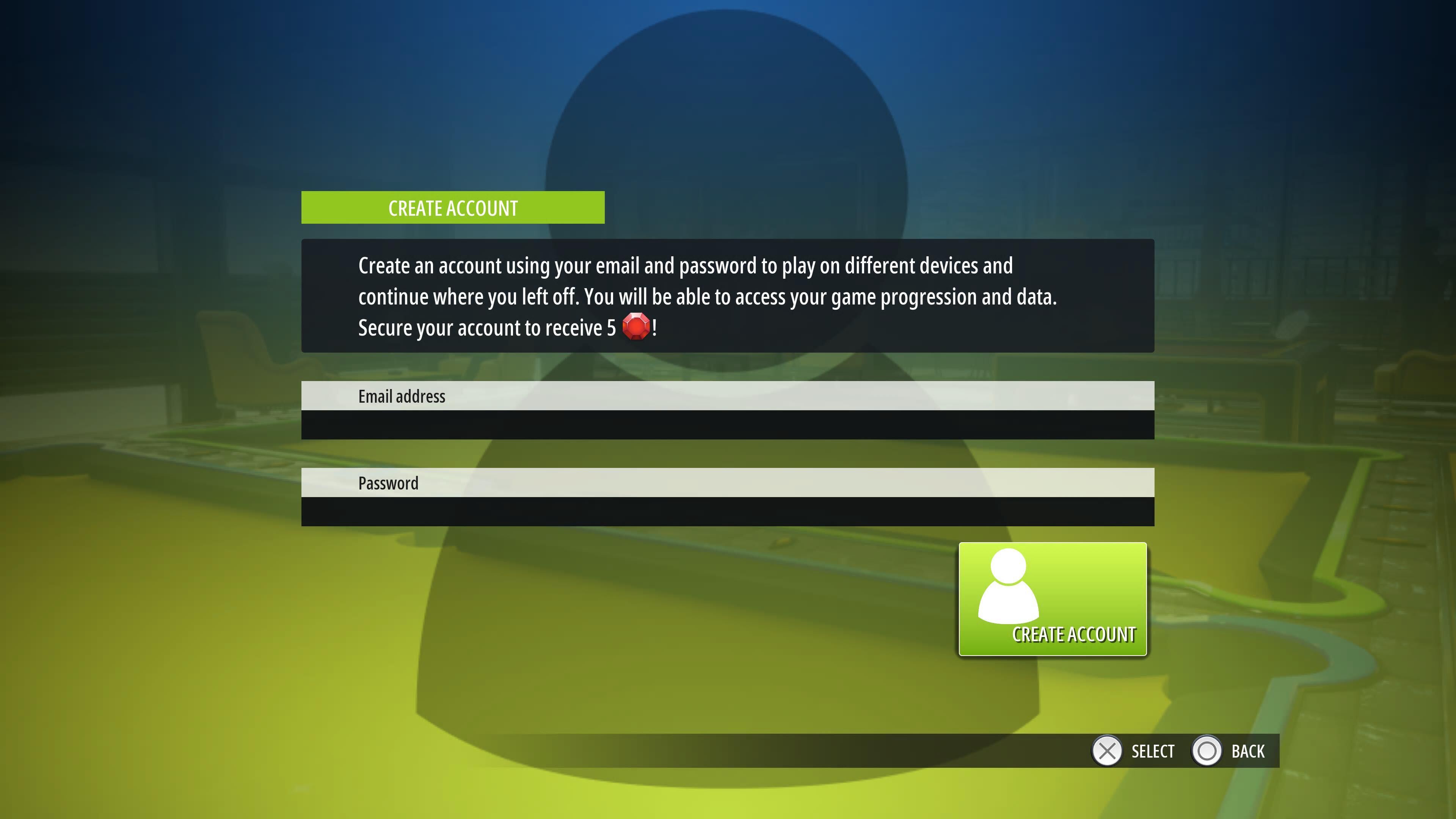
6. Input you preferred Email address and a secure password and select the Create account button at the bottom.
7. Your Pool Blitz Cross Platform account will now be created!
To Link your console account to a Mobile device, follow the steps below:
- Create your Pool Blitz account as shown in the steps above.
- Open Pool Blitz on the Mobile Device you would like to link your account too. (E.g. Your Android or iOS device of your choosing.
- Tap on the Settings Cog in the top left corner of the home menu.
- Tap the Recover Button.
- Tap on the Recover with Email button. This will then open a pop-up asking for an email address and Password.
- Input your Email and password that you used to Create your Pool Blitz account on your console, then tap the Recover button.
- Your console account is now linked to your mobile device and you can take the account with you on the go!
Need any further help with Account Linking/Recovery in Pool Blitz? Send in a support ticket in-game in the Customer Support Menu or email our support team at support@cherrypopgames.freshdesk.com and we will assist you in getting it sorted!
Was this article helpful?
That’s Great!
Thank you for your feedback
Sorry! We couldn't be helpful
Thank you for your feedback
Feedback sent
We appreciate your effort and will try to fix the article